GCASH PAYMENT
Scan to Pay
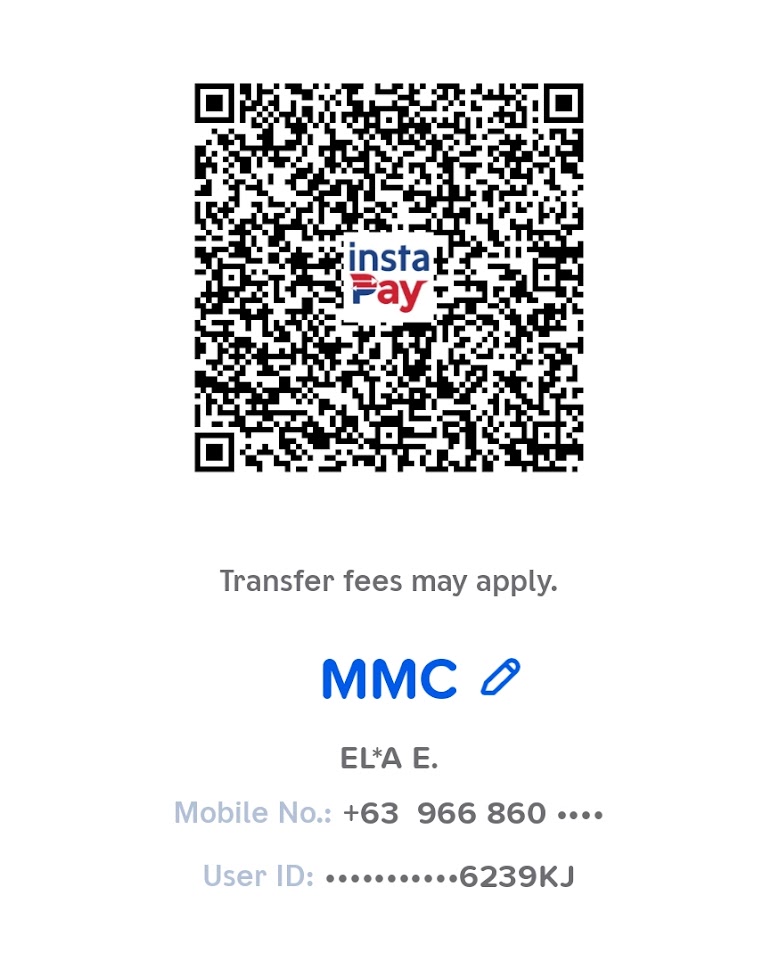
💡 Tap the QR code to open in full screen
📲 How to Upload QR on GCash App
- Save the QR Code: Take a screenshot or press and hold the QR code above to save it to your phone's photo library/gallery.
- Open GCash: Launch the GCash app on your mobile device and log in.
- Scan QR: Tap the "QR" button on the bottom menu bar of the home screen.
- Upload from Gallery: On the camera scanner screen, tap the "Upload from Gallery" button (usually at the bottom or top right).
- Select Image: Select the QR code screenshot from your gallery. GCash will automatically scan and fill in the details.
- Proceed & Pay: Check that the recipient name is correct (E**a E. / Ella E.), type in the correct payment amount, and confirm payment.